How to use this template?
There are several steps to using the Guided Notes Template effectively. To ensure comprehensive and organized documentation of patient encounters, follow these guidelines:
Step 1: Access the template
Click the "Use template" button to access and customize the template via the Carepatron app. For a free printable PDF copy, choose "Download."
Step 2: Familiarize yourself
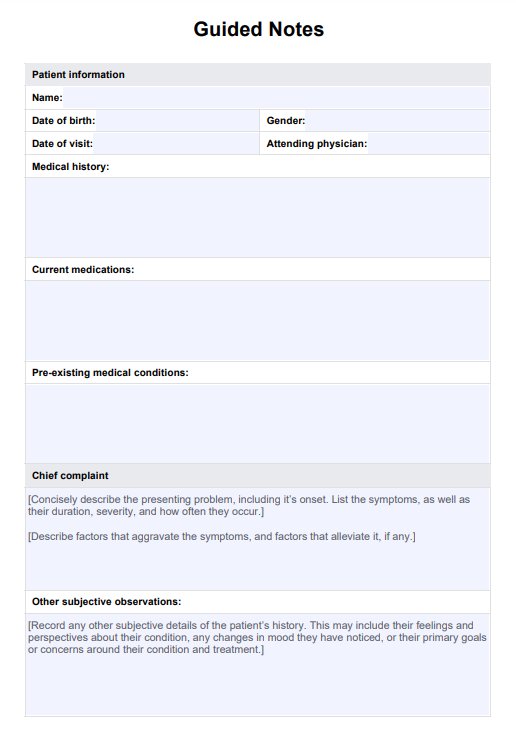
Take a moment to review the structure and sections of the Guided Notes Template. Become familiar with the components (such as patient information, chief complaint, assessment, plan, and additional notes) prior to creating your notes. Understanding the layout will help streamline the documentation process.
Step 3: Gather patient information
Begin by filling in the template's patient demographics and medical history sections. Input relevant details such as the patient's name, age, gender, date of visit, and pertinent medical conditions or medications.
Step 4: Document chief complaint
Record the patient's primary reason for the visit in the chief complaint section. Include details regarding the symptom duration, severity, aggravating factors, and alleviating factors associated with the presenting problem. The patient's perspective on their symptoms, feelings and condition are the 'subjective' part of the notes.
Step 5: Conduct assessment
Proceed to document the findings from your assessment, including vital signs, physical examination results, and any diagnostic tests ordered. Use the designated sections of the template to organize this information systematically. These are the 'objective' components of the format.
Step 6: Develop a plan
Based on your assessment, outline the treatment plan, patient education, referrals, and follow-up instructions in the appropriate sections of the template. Ensure the plan addresses the patient's needs and aligns with clinical guidelines.
Step 7: Set patient goals
Collaborate with the patient to establish short-term and long-term goals for their care. Document these goals, actionable steps, and expected outcomes in the patient goals section of the template.
Step 8: Review and save
Review the completed Guided Notes Template to verify accuracy and completeness. Make any necessary revisions or additions before saving the document. Ensure the finalized notes are securely stored in the patient's medical record.