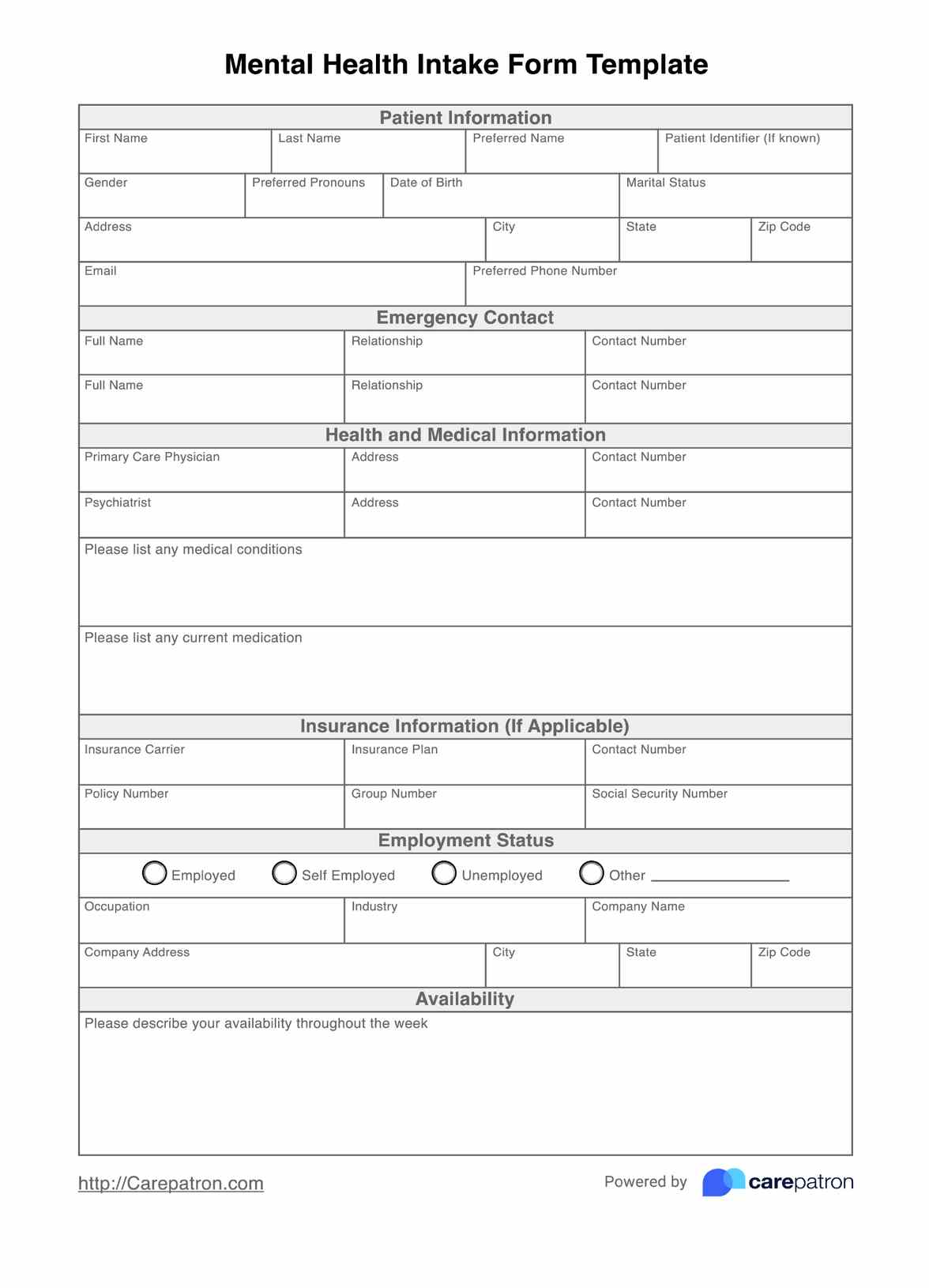
How to use this template for Mental Health Intake Forms
Knowing where to start when working with Mental Health Intake Forms can be challenging, so we're here to help. Using the step-by-step guide to the mental health intake form template, you can effectively incorporate mental health intake forms without compromising on quality.
Step 1: Download the PDF template
The first step is to download the PDF template. From there, you can save the template to work on or print the document to handwrite if that's what you prefer.
Step 2: Distribute to patients
The next step is to distribute the Mental Health Intake Form to the patient for them to fill out. The best way to do this is to give the form to your patient before the appointment, allowing you to review the information well before they arrive. Alternatively, the patients can also fill out the form while in the waiting room; however, remember that this may be more time-consuming and result in less preparation.
Step 3: Upload data to your practice's system
The next step is to upload patient data from the Mental Health Intake Form into your system. Anytime an insurance claim or referral is made, you can refer to the client within your database, which makes things seamless and accessible. All client information can be reviewed in just one place, and if any updates are needed, your administrative staff or you can refer to their data.
Step 4: Ensure it is stored securely
After transferring your intake forms to your preferred database, you must ensure they are protected from security breaches. Mental Health Intake Forms contain highly confidential information, so you must always protect the patient and maintain HIPAA compliance standards.